



What Network Switch is Required for AV over IP?
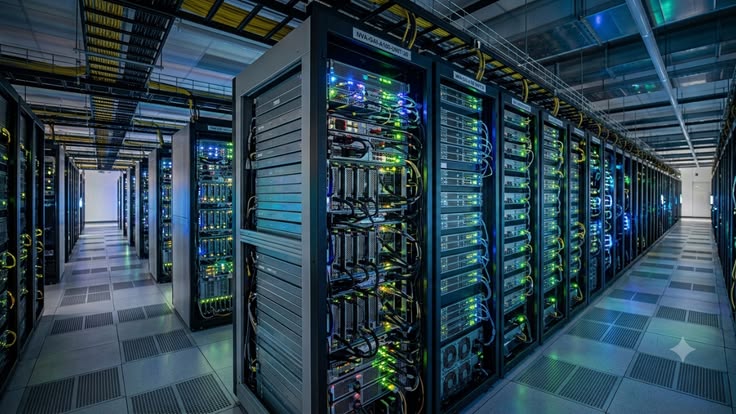
To run a stable AV over IP (AVoIP) system without black screens or audio drops, you require a Managed Layer 2+ or Layer 3 network switch featuring IGMP Snooping (v2/v3), an active IGMP Querier, Fast Leave, PoE+ (802.3at) or PoE++ (802.3bt) power budgets, and a non-blocking backplane. You must also match your switch port speed directly to your video compression standard: 1GbE switches for H.264, H.265, NDI, and JPEG2000 systems (such as WyreStorm NetworkHD 100, 400, and 500), or 10GbE switches for zero-latency uncompressed 4K60 4:4:4 workflows like SDVoE and NetworkHD 600.
On paper, picking a switch looks simple. On a live commercial job site, one wrong switch setting can freeze an entire floor of boardroom displays or crash the client’s corporate Wi-Fi minutes before handover. As a trusted IT and AV solutions company in Dubai, DTIS (Digitech Integrated Solution) helps system integrators, IT managers, and fit-out contractors across the UAE and GCC avoid that exact nightmare. We supply genuine hardware, verify your network bandwidth math, and guide your switch configuration so your system works cleanly from day one.
Why Standard Office Switches Crash AV Networks (Layer 2 vs. Layer 3)
A common mistake in commercial fit-outs is buying a cheap, off-the-shelf switch from an IT retail store and plugging in twenty 4K video encoders. Within seconds, every screen stutters, goes black, or freezes.
Standard data traffic (like emails or web browsing) moves in short bursts to one computer at a time. Video over IP is completely different. A single 4K video encoder sends a massive, continuous stream of multicast traffic meant for multiple displays at once.
If your switch does not know how to filter multicast video, it treats that heavy video stream like a broadcast emergency and floods it out of every single port on the switch. If you are still weighing the basics of network hardware, read our earlier breakdown on Managed vs Unmanaged Switch: How to Choose for Your Network Setup.
When building an AV network, here is how the three main switch tiers handle real-world video traffic:
| Switch Type | Multicast & IGMP Support | Multi-Switch Routing | Real-World AV Performance | Best Commercial Use Case |
| Unmanaged Switch | None | None | Fails immediately. Floods all ports with video packets, causing broadcast storms and screen blackouts. | Small desk clusters for basic internet only. Never use for AV over IP. |
| Managed Layer 2+ Switch | Full IGMP Snooping v2/v3, Querier, and Fast Leave | Limited (Works best as a standalone switch or simple small stack) | Rock solid for single switches. Routes video strictly to the screens that request it. | Single boardrooms, classrooms, huddle spaces, and standalone digital signage zones. |
| Managed Layer 3 Switch | Advanced IGMP, PIM (Protocol Independent Multicast), and VLAN routing | High-speed inter-VLAN and multi-switch routing across floors | Enterprise grade. Isolates heavy AV traffic while routing smoothly across multiple switches and buildings. | 24/7 command centers, multi-floor corporate offices, universities, and large hospitality rollouts. |
5 Must-Have Switch Specs for a Glitch-Free AV Network
When reviewing a Bill of Quantities (BOQ) for an upcoming project, do not just look at the port count. Check the switch datasheet for these five exact specifications.
1. IGMP Snooping, IGMP Querier, and Fast Leave
IGMP (Internet Group Management Protocol) acts as the traffic controller for your video streams.
When IGMP Snooping is turned on, the switch listens to conversations between your encoders (transmitters) and decoders (receivers). It makes sure a 4K video feed from a laptop only goes to the specific meeting room display asking for it, leaving all other ports completely free.
You also need two companion settings enabled:
- IGMP Querier: One switch on your network must act as the “Querier” that repeatedly asks every decoder which video channel it is watching. Without an active Querier, IGMP Snooping stops working after a few minutes and your screens will suddenly go black.
- Fast Leave (Immediate Leave): When a user switches inputs on a touch panel, Fast Leave tells the switch to drop the old video stream instantly before loading the new one. Without it, two heavy 4K streams collide on the same port for a few seconds, causing tearing and lag.
2. 1GbE vs. 10GbE Port Speeds (Matching Your Video System)
Your switch port speed depends entirely on the encoders and decoders you are installing. If you are still deciding between traditional matrix switching and networked video, check our guide on AV Over IP vs Traditional AV Distribution: Which One Is Right for Your Installation?.
Once you commit to AV over IP, match your switch to these three bandwidth categories:
- 1GbE Switches (Low Bandwidth / H.264 & H.265): Each stream uses between 15 Mbps and 50 Mbps. A standard 1-Gigabit managed switch handles dozens of streams easily. Ideal for corporate digital signage, multi-room overflow video, and WyreStorm NetworkHD 100 or 200 series setups.
- 1GbE Switches (Visually Lossless 4K60 / JPEG2000): Each 4K stream uses up to 850 Mbps. While it runs on a 1GbE port, one stream nearly fills that single cable. Ideal for executive boardrooms and low-latency presentations using WyreStorm NetworkHD 400 or 500 series.
- 10GbE Switches (Uncompressed 4K60 4:4:4 / SDVoE): True uncompressed video requires nearly 9 to 10 Gbps per stream for zero-frame latency. You must use a full 10-Gigabit copper or fiber switch (ideal for WyreStorm NetworkHD 600 and mission-critical control rooms).
3. PoE+ and PoE++ Power Budgets (Doing the Wattage Math)
Power over Ethernet (PoE) lets you power your encoders and decoders through the same CAT6A cable carrying your video. It saves you from installing power sockets behind every display.
However, many buyers fall into the total PoE budget trap. A 24-port switch might advertise “PoE+ support on all ports” (up to 30W per port), yet its internal power supply only holds a total budget of 180W.
If you plug in 16 encoders and decoders that each draw 15W (240W total), the switch hits its 180W ceiling and randomly shuts off power to the last four screens. Always calculate the maximum wattage of every endpoint, add a 20% safety buffer, and verify that the switch’s total power supply can cover the load.
4. Quality of Service (QoS) Priority for Audio and Video Sync
If your AV system shares a switch with corporate data, security cameras, or control processors, all those packets compete for attention.
Quality of Service (QoS) using DSCP (Differentiated Services Code Point) tags tells the switch which packets cannot wait. For example, in NDI deployments in AV over IP workflows or Dante networked audio setups, sub-millisecond timing is everything. Proper QoS settings put clock synchronization first, live audio second, video streams third, and standard office file transfers last. That keeps lip-sync tight and prevents audio pops during executive calls.
5. Jumbo Frames (MTU 9000) and Non-Blocking Backplane
Standard network packets carry 1500 bytes of data. High-bitrate video encoders prefer sending Jumbo Frames (up to 9000 bytes per packet) to reduce overhead and keep video smooth.
Here is an engineering detail many guides miss: Do not blindly turn on Jumbo Frames across your whole network if you run Dante audio on the same VLAN. Many Dante audio chips only accept standard 1500-byte packets and can drop offline if flooded with unsegmented Jumbo Frames. Either place your video and Dante audio on separate VLANs, or use an AV switch that manages packet sizes per VLAN automatically.
Additionally, ensure your switch has a non-blocking backplane. A 24-port 1GbE switch needs at least 48 Gbps of internal switching capacity (24 ports × 2 Gbps full duplex) so every port can send and receive at 100% speed simultaneously without internal bottlenecks.
Pro AV Switches vs. Traditional Enterprise IT Switches
When sourcing hardware from an audio visual equipment supplier in Dubai, IT managers often ask: “Can we just use our company’s standard Cisco, Aruba, or FortiSwitch hardware for the AV system?”
The short answer is yes, if your IT engineer is ready to spend hours in a Command Line Interface (CLI) typing manual multicast, IGMP querier, and QoS commands for every single port.
Standard enterprise IT switches are built from the ground up to block heavy traffic bursts as potential cyberattacks. When an IT switch sees a 850 Mbps multicast video stream, its default security settings often throttle or block the port.
AV-Optimized Managed Switches (such as Netgear Pro AV M4250/M4350 series or certified switches specified alongside WyreStorm deployments) solve this problem out of the box:
- 1-Click AV Profiles: Instead of writing complex code, installers open a clean visual dashboard, select ports 1 to 10 for WyreStorm NetworkHD, ports 11 to 16 for Dante Audio, and ports 17 to 20 for NDI. The switch configures IGMP, QoS, and VLANs automatically.
- Rear-Facing Ports for Clean Racks: Many Pro AV switches place the RJ45 ports on the back and status LEDs on the front, matching how professional AV racks are wired.
- Quiet Fan Modes: Boardrooms and classrooms often house small equipment racks inside the room. AV-optimized switches include quiet or fanless modes so loud server-room cooling fans do not ruin your Shure or Bose conference audio.
Validating Your Network Topology: Bandwidth & Uplink Math
If your project fits on a single 24-port or 48-port switch, all traffic stays inside that switch’s fast internal backplane.
The problem starts when you connect two or more switches together across rooms or floors. Never link two AV over IP switches using a standard 1GbE copper port.
Look at the math:
- Imagine you have Switch A in a rack with 6 encoders sending 4K JPEG2000 video (each stream is roughly 800 Mbps).
- You have Switch B on another floor connected to 6 displays that want to watch those 6 encoders simultaneously.
- Total traffic traveling from Switch A to Switch B is 4.8 Gbps (6 streams × 800 Mbps).
- If you connect Switch A and Switch B with a 1Gbps cable, the connection chokes immediately.
Whenever you expand beyond a single switch, you must use switches equipped with 10GbE SFP+ or 40GbE QSFP+ fiber uplink ports (and aggregate multiple fiber links using LACP if you are pushing dozens of 4K streams between switches).
Quick Sizing Guide: Matching the Switch to Your Commercial Space
To help procurement teams and fit-out contractors plan their budgets, here is how we size network switches for typical UAE commercial environments:
| Commercial Space | Typical AV Setup | Recommended Switch Spec | Uplink & Topology Requirement |
| Executive Boardrooms & Meeting Rooms | 2 to 4 table/wall sources, wireless presentation, 1 or 2 displays, room touch panel | 8 to 16-Port Managed Layer 2+ Switch (1GbE with PoE+ budget of 150W–240W) | Standalone switch inside credenza; single 1G link to corporate LAN for internet/cloud control only. |
| Divisible Training Rooms & Classrooms | 6 to 12 sources, multiple interactive displays or projectors, ceiling mics, PTZ cameras | 24 to 48-Port Managed Layer 2+/L3 Switch (1GbE with PoE+ budget of 380W–740W) | Standalone or 10G SFP+ uplink to building core if sharing streams with adjacent halls. |
| 24/7 Command & Control Centers (NOC/SOC) | 20+ server feeds, large video wall displays, zero-latency KVM matrix routing | 24 to 48-Port 10GbE Managed Layer 3 Switch (or redundant dual-switch setup) | Dual 40G/100G QSFP+ stacking or spine-leaf topology for zero downtime failover. |
| Multi-Floor Corporate or Retail Rollouts | Centralized media players feeding 30 to 100+ screens across floors or mall zones | Modular or Stackable Layer 3 Core Switch + Edge Layer 2+ Access Switches per floor | 10G/25G SFP+ fiber trunks between floors with PIM routing and strict VLAN isolation. |
Planning a control room or security hub? Pair this guide with our article on WyreStorm Distribution: How to Choose the Right KVM Extender for Command Centers and our Video Wall Display Buyer’s Guide 2026.
Common AV Network Mistakes We Fix in UAE Projects
As an experienced AV integration company in Dubai, our engineering team gets called in to rescue troubled installations across the region. Three issues show up more than any others:
- Dumping AV Multicast onto the Client’s Flat Corporate LAN: Installers plug AV encoders straight into the client’s main office switches without building a separate AV VLAN. Within ten minutes, multicast video packets flood the office Wi-Fi access points, bringing wireless laptops to a crawl. Always isolate AV traffic on its own dedicated switch or strictly segmented VLAN.
- Forgetting SIRA and Enterprise Security Isolation: In the UAE, physical security networks (CCTV and access control) and corporate data have strict compliance and security boundaries. Using a managed switch lets you lock down ports, disable unused RJ45 jacks, and keep AV endpoints from bridging secure zones.
- Leaving Switches Unconfigured Until Handover Week: Ordering hardware is easy; programming IGMP queries, IP address tables, and EDID settings on a dusty construction site two days before the client moves in is a recipe for disaster. Pre-staging and bench-testing your switch with your encoders before site delivery cuts installation time in half.
Frequently Asked Questions About AV over IP Switches
Do I need a dedicated network switch just for AV over IP?
For most projects, yes, a dedicated physical switch for your AV hardware is the safest, fastest, and most reliable approach. While you can run AV over IP on a shared enterprise IT switch using separate VLANs, doing so requires tight coordination with the client’s corporate IT security team. A dedicated AV switch gives your AV integrator full control over IGMP, PoE power cycling, and troubleshooting without risking corporate network downtime.
How much bandwidth does a single 4K AV over IP encoder use?
It depends on the compression technology inside your encoder:
- H.264 / H.265 (High Efficiency): 15 Mbps to 50 Mbps per 4K stream.
- NDI (High Bandwidth NDI): 125 Mbps to 250 Mbps per 4K60 stream.
- JPEG2000 (Visually Lossless 4K60): 500 Mbps to 850 Mbps per stream.
- SDVoE (Uncompressed 4K60 4:4:4): 6 Gbps to 9 Gbps per stream (requires a 10GbE switch).
Why do my AV over IP screens work for 3 minutes and then go black?
This classic symptom almost always means IGMP Snooping is turned ON, but the IGMP Querier is turned OFF (or pointing to the wrong IP address). When the switch boots up, it passes the video stream fine. After about 180 to 260 seconds, the switch’s multicast table expires because no Querier refreshed the connection, so the switch cuts off the video stream to the display. Enabling the IGMP Querier on your core switch fixes this immediately.
Skip the Network Headaches: Let DTIS Verify Your AV Switch Spec
Buying the switch hardware is only half the battle. Making sure your port speeds, PoE wattage budgets, fiber uplinks, and IGMP profiles match your encoders and displays is what guarantees a stress-free project handover.
Whether you are an IT manager upgrading your corporate meeting rooms, a system integrator pricing a tender, or a contractor searching for a reliable Pro AV distributor in the UAE, DTIS (Digitech Integrated Solution) makes the process simple:
- Free Pre-Sales BOQ & Topology Check: Send us your display count, room layout, or draft equipment list. Our Dubai technical team will verify your bandwidth math and PoE power budget before you spend a dirham.
- Matched, Genuine Hardware Supply: As a leading AV solutions company in the UAE, we supply compatible encoders, decoders, KVM extenders, displays, and managed switches from trusted global brands like WyreStorm, Epson, Shure, Bose, ViewSonic, SMART Technologies, and QS-Tech.
- Configuration & Commissioning Support: Need help getting your IGMP, VLAN, and QoS settings right? Our consultancy and design engineers support you from pre-sales planning right through to final commissioning and after-sales support across Dubai, the UAE, and the wider GCC.
Ready to build an AV over IP network that works the first time you plug it in? Contact the DTIS engineering team in Dubai today for a fast BOQ review, stock check, or custom project quote.

