



WyreStorm Distribution: How to Choose the Right KVM Extender for Command Centers
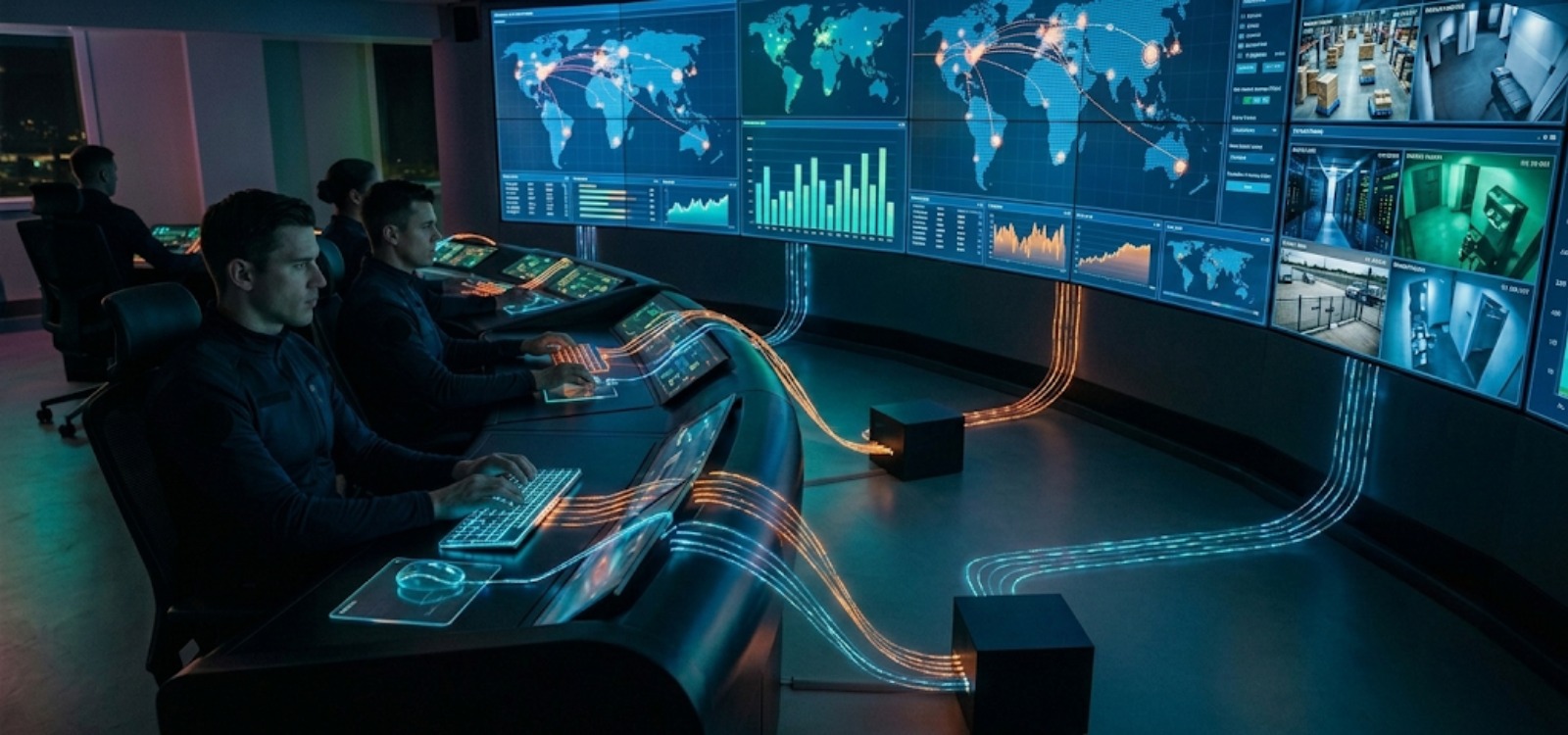
Managing heavy processing servers inside command centers creates severe challenges like intense heat, loud fan noise, and data security risks at operator consoles. As a premier audio visual integration company in the region, DTIS eliminates these issues by designing seamless hardware layouts. We isolate critical computing towers in secure IT server rooms while keeping real-time, responsive desktop control directly at the operator’s desk.
Choosing the correct hardware interface depends heavily on low latency, uncompressed 4K video routing, and secure peripheral transmission. Sourcing infrastructure from an authorized WyreStorm distributor in UAE ensures access to elite, high-reliability av solutions that protect continuous 24/7 operations. This guide on Choose the Right KVM Extender for Command Centers cuts out the technical jargon to show you exactly how to select the best KVM configuration.
About KVM Extender: Definition, Operation, and Use Cases
Before exploring advanced command center setups, it is essential to understand the foundational role that KVM extension plays in modern network topologies. Centralizing high-performance hardware assets requires a reliable mechanism to bridge the physical gap between operator terminals and isolated processing engines. Implementing this hardware layer allows enterprises to decouple their computing power from the user workspace, laying the groundwork for clean, efficient, and highly secure mission-critical environments.
What Is a KVM Extender?
A KVM extender is a specialized hardware kit engineered to transmit keyboard, video, and mouse signals over extreme distances without losing performance. Unlike software-based remote desktops that drain server CPU cycles, a hardware extender runs at the physical or network layer to eliminate data lag.
- True Hardware Baseline: Delivers pixel-perfect visuals and instant typing response over hundreds of meters.
- OS-Independent: Operates smoothly without needing any local computer software installations.
- Signal Protection: Overcomes the distance limitations of standard copper HDMI or USB cables.
How Does a KVM Extender Work?
The system utilizes a dedicated transmitter (TX) and receiver (RX) pair to move data streams across your building’s existing cabling infrastructure.
- Transmitter (TX Unit): Sits in the secure server rack to capture and encode the computer’s raw graphic frames and USB paths.
- Media Link: Routes the encrypted signal stream over Cat6 copper wires or long-range fiber optic lines.
- Receiver (RX Unit): Rests on the operator’s desk to instantly decode the data, driving the displays and human interface peripherals.
KVM Switch vs KVM Extender: What’s the Difference?
Integrators often mix up these two core components, but they solve completely different operational problems on the control floor.
- KVM Switch: A localized box that allows one operator setup to toggle between and control multiple adjacent PCs placed at their desk.
- KVM Extender: A long-distance tool built solely to bridge the spatial gap between an operator terminal and a remote server room machine.
- The Distributed Matrix: Advanced IP systems (like WyreStorm NetworkHD) combine both roles, letting multiple operators access multiple distant servers across a shared network switch.
KVM over IP vs Traditional KVM Extenders: Key Differences Explained
Selecting the ideal transmission protocol determines the ultimate flexibility, security posture, and lifecycle costs of your command center deployment. Traditional KVM systems utilize a fixed physical link, frequently running over direct, point-to-point HDBaseT or proprietary UTP lines, which provides exceptional, zero-latency performance but traps the system within a rigid, non-routable topology that cannot easily adapt to future expansion.
On the other hand, KVM-over-IP architectures revolutionize control room designs by encoding signal packets directly onto standard internet protocol standards, transforming a standard enterprise managed network switch into a fully scalable, software-defined distribution matrix.
| Architectural Metric | Traditional KVM Extenders (HDBaseT / Direct UTP) | KVM over IP Systems (NetworkHD / Managed LAN) |
| Signal Routing Topology | Rigid, dedicated point-to-point physical cabling. | Decentralized, flexible matrix routing via network switches. |
| Scalability Options | Fixed port limitations; physical hardware swap required. | Infinite network scaling; limited only by available switch ports. |
| Video Wall Integration | Requires a dedicated, separate visual video processor. | Native integration; handles KVM and video wall layouts natively. |
| Transmission Distance | Limited by maximum length thresholds of Cat6 or Fiber. | Dynamic; spans across local switches, subnets, and buildings. |
| Latency Parameters | True absolute zero latency via uncompressed physical layers. | Sub-microsecond low latency with pixel-perfect codecs. |
Why Use a KVM Extender for Remote Server Access?
Transitioning core computing hardware away from active operator spaces into centralized IT environments is a fundamental tenet of modern infrastructure design. Command centers are continuous, high-stress operational environments where every second of situational awareness can affect mission outcomes. By keeping noisy, heat-emitting processing towers out of the main control room, you actively eliminate ambient environmental distractions and allow operators to maintain razor-sharp focus on incoming data.
Furthermore, remote server access shields your expensive technological assets from accidental workspace damage, environmental dust accumulation, and localized thermal choking, while simultaneously granting IT staff a clean, centralized avenue to execute hardware maintenance and diagnostic tasks without ever disrupting active operations on the control floor.
How to Choose the Right KVM Solution for Remote
Selecting the perfect hardware layout for remote server access requires vetting precise technical checkpoints to guarantee your control infrastructure remains completely fail-safe. System integrators and IT procurement heads must look past basic product sheets and analyze how specific signal architectures handle continuous operational stress. Evaluating key engineering benchmarks, ranging from baseline processing response times to hardware encryption standards, ensures your centralized network setup remains highly reliable, secure, and adaptable to your facility’s daily workflow demands.
Server Access
Centralized monitoring spaces require vetting specific technical deployment checkpoints to guarantee that dynamic operations remain completely fail-safe.
BIOS-Level and OS-Independent Control
Sourcing a hardware solution that operates completely independently of the host machine’s software layer is paramount for maintaining maximum network uptime. Software remote desktop tools inevitably fail the moment an operating system encounters a critical crash, a blue screen error, or a severe kernel panic, locking out administrators from remediation.
True enterprise KVM extenders deliver robust out-of-band access, meaning the signal loop remains fully active even if the target server is completely frozen or undergoing a cold reboot. This gives your command team unhindered visibility and interactive capabilities at the foundational BIOS level, letting technicians troubleshoot low-level settings, configure core firmware properties, or patch deep software updates entirely from the remote desk console.
Low-Latency Video and USB Performance
Real-time responsiveness is the defining metric that separates a functional control environment from a broken operational workflow. When monitoring high-speed transit tracking grids or manipulating precise public safety telemetry maps, any measurable delay between an operator moving their mouse and the cursor responding on screen results in severe cognitive fatigue and execution errors.
Advanced signal processors, like those found across WyreStorm’s enterprise transmission portfolios, focus heavily on optimizing sub-microsecond latency paths across the entire distribution network. This ultra-fast processing engine ensures that high-speed typing arrays, dynamic control surface interactions, and fast mouse panning feel absolutely fluid, completely replicating the sensation of local, hardware-connected desktop computing.
Appropriate Resolution for Server Monitoring
Command room workstations process massive, information-dense graphical interfaces, ranging from ultra-detailed SCADA architectural grids to multiple concurrent ultra-HD surveillance camera streams. To preserve the visual fidelity of these complex multi-layered environments, the selected extension hardware must be capable of processing uncompressed 4K resolution distributions at a continuous 60Hz frame rate while maintaining a true 4:4:4 color space. Choosing lower-tier components that rely on heavy chroma sub-sampling to fit within restricted bandwidth fields will blur fine text details and distort critical graphical status outlines, which rapidly accelerates eye strain during extended, high-intensity operator monitoring shifts.
Network Architecture and Scalability
If your command facility is designed to grow alongside your expanding enterprise operations, locking your system into rigid, static wiring topologies will guarantee massive rip-and-replace costs down the road. Evaluating a network-based KVM infrastructure allows you to route all audio, video, and control paths directly through standard Gigabit or 10-Gigabit managed ethernet configurations. This decentralized approach treats every server transmitter and operator receiver as a flexible network node, enabling your team to seamlessly introduce new monitoring terminals or add extra computing blades to the server pool by simply plugging them into the nearest network switch port without altering the primary hardware skeleton.
Transmission Distance and Media Type
Determining the exact physical footprint of your facility dictates whether your infrastructure should leverage copper or fiber optic transport lines. Standard Category 6 or 6a twisted-pair cabling offers a highly reliable, cost-effective transport medium for localized corporate building layouts where the total distance threshold between the server room and the console remains under 70 to 100 meters. However, when your design spans across multi-site industrial campus boundaries or operates in heavy manufacturing plants with intense electromagnetic interference, fiber optic transmission lines become mandatory, as they offer near-infinite distance capabilities and complete immunity to electrical distortion.
Deployment Simplicity and Security
High-stakes enterprise networks require hardware that balances quick site deployment with uncompromised digital defense. Sourcing a system that relies on smart automatic endpoint detection software saves months of complex, manual IP assignment programming for your engineering crew. Simultaneously, the chosen hardware must actively secure the physical layer of your infrastructure by providing transparent human interface device profiling and supporting strict network security measures, including custom Access Control Lists and robust port-level authentication rules to guarantee that unauthorized devices can never bridge into the core data stream.
Why do I need a KVM extender?
Keeping high-performance workstations directly at operator desks produces intense thermal exhaust, distracting fan noise, and clear physical security liabilities. Implementing a hardware-based KVM extender isolates critical computing towers in secure IT rooms while keeping real-time terminal control directly at the operator console. This separation solves severe operational bottlenecks and protects your critical infrastructure from system downtime.
Ergonomic workplaces
Relocating active workstation towers out of the immediate operational workspace delivers a profound structural upgrade to room acoustics and climate dynamics. Because computer cooling fans and mechanical heat pools are permanently restricted to the server room, the control room’s ambient air conditioning can be managed precisely without facing constant, localized thermal spikes. This allows for the design of clean, modular operator desks with maximized workspace legroom and zero distracting airflow emissions, directly fostering an environment built for extended mental concentration.
Centralization of assets and security
Gathering all core processing assets into a centralized, climate-controlled, and physically restricted IT facility creates an ironclad security barrier around your corporate intellectual property. This structural centralization entirely eliminates the threat of local hardware tampering, accidental power button cutoffs, and unauthorized data breaches occurring through rogue physical USB thumb-drive extractions at the operator desk. Furthermore, it allows your support team to perform mass hardware cleanings, physical component upgrades, and wiring audits in a controlled space without ever introducing external technicians onto the active control floor.
Multi-user and multi-site collaboration
Modern unified enterprise layouts cannot afford to have data trapped inside isolated technology silos. Advanced KVM extension fabrics break these boundaries by enabling intelligent cross-console collaboration features, such as seamless “roaming mouse” monitor arrays and instant multi-user terminal mirroring. A control room supervisor can instantly pull a duplicate of an analyst’s critical screen layout onto a secondary monitor or push a live server dashboard directly onto a central video wall array, dramatically accelerating response times during high-priority emergency events.
Where are KVM extenders used?
KVM signal distribution ecosystems form the operational core across a wide spectrum of specialized high-reliability industries. Within dedicated Security Operations Centers (SOCs), they allow analysts to monitor multi-channel NVR recordings and manipulate real-time PTZ security cameras with zero control lag.
In Network Operations Centers (NOCs) and smart city command nodes, these devices grant infrastructure engineers instant, out-of-band diagnostic access to thousands of distributed blade servers simultaneously. Furthermore, public safety dispatch environments, air traffic control towers, and heavy industrial automation plants rely on this specialized hardware to stream uncompromised, mission-critical operational data to display monitors around the clock with absolute immunity to system downtime.
Final Words
Building a high-reliability command room requires an alignment of cutting-edge hardware capability and deep, consultative field engineering. Sourcing your signal management tools through an authorized WyreStorm distributor in the UAE ensures your deployment gains access to verified, low-latency technologies built specifically to handle the most demanding multi-monitor enterprise payloads.
At DTIS, we don’t merely drop boxes at a site; we function as your strategic integration partner, providing expert pre-sales staging validation and full technical layout support to guarantee your systems function perfectly from the moment of handover. Contact our engineering department today to audit your physical infrastructure layout, evaluate your exact PoE power constraints, and design a bulletproof network setup that delivers uncompromised operational excellence.

