



Managed vs Unmanaged Switch: How to Choose for Your Network Setup
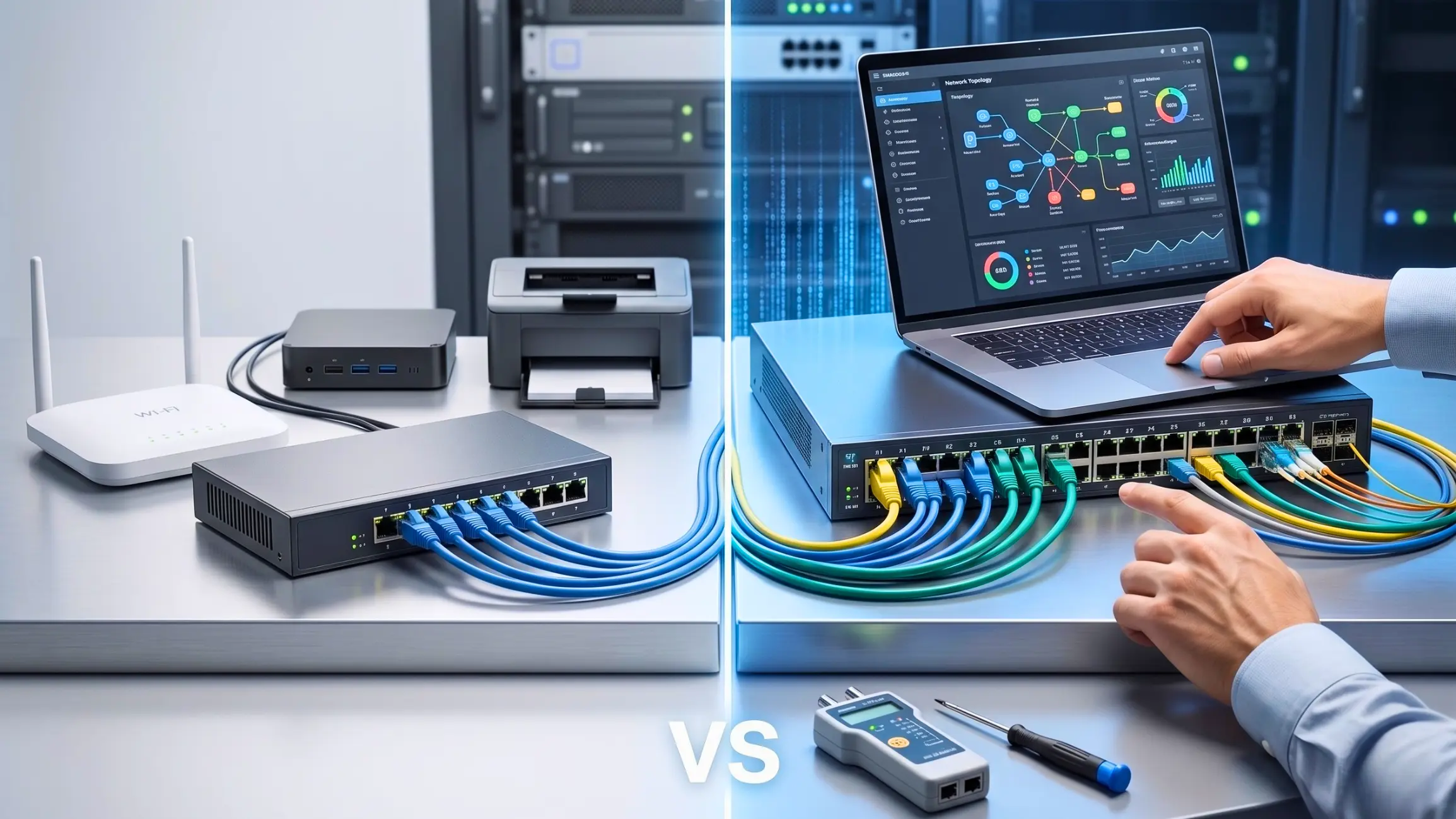
The difference between an integrated commercial fit-out and a costly project handover delay often comes down to one overlooked component: the network switch. Choosing between a managed and unmanaged switch is not just a technical decision; it can determine whether your network runs smoothly or struggles with congestion, dropped video feeds, limited troubleshooting visibility, and security gaps.
At DTIS, we frequently see UAE system integrators and contractors face operational bottlenecks simply because they mismatched their switch architecture to their hardware demands. This guide cuts through the academic IT jargon to help you understand the exact power budgets, network segmentation, and data prioritization required to build a resilient, enterprise-grade network setup.
What Is a Network Switch (And Why Does It Matter in Modern Networks?)
A network switch is the intelligent “traffic director” of a Local Area Network (LAN). Unlike an outdated hub that blindly broadcasts data to every connected wire, a switch reads the specific MAC address of a destination device and forwards data packets only where they need to go.
In modern commercial environments, the switch is the central nervous system. It connects critical endpoints, staff workstations, IP surveillance cameras, wireless access points, VoIP phones, and heavy-bandwidth AV-over-IP distribution systems. As your device count scales, the right switch architecture prevents data collisions, reduces congestion, and ensures seamless communication across your entire corporate footprint.
What Is an Unmanaged Switch?
An unmanaged switch is the simplest, most rigid form of networking hardware. It is designed purely for “plug-and-play” connectivity out of the box. When you plug Ethernet cables into its ports, it instantly allows local devices to communicate with one another using a fixed, factory-default data forwarding configuration.
Pros and cons of unmanaged switches
Pros of unmanaged switches
- Zero Configuration Required: They require no CLI (Command Line Interface) or Web GUI programming. You simply plug them into a power source and connect your devices.
- Highly Cost-Effective: Lacking complex internal processors and management software, they offer the lowest upfront hardware cost.
- Immediate Port Expansion: Ideal for quickly adding extra Ethernet ports to a single, isolated workstation cluster or a temporary pop-up event space.
Cons of unmanaged switches
- Vulnerable to Broadcast Storms: Because unmanaged switches cannot filter multicast traffic, a heavy video stream can flood the entire network, causing packet loss.
- Zero Security Isolation: They cannot separate sensitive data. A compromised smart TV on an unmanaged switch gives hackers an open path to the rest of the business network.
- Blind Troubleshooting: There is no remote telemetry. If a port fails, IT engineers must physically travel to the site to diagnose the hardware blindly.
What Is a Managed Switch?
A managed switch is an enterprise-grade appliance that gives network administrators absolute, granular control over data traffic, bandwidth allocation, and security protocols. Through advanced software interfaces, engineers can actively prioritize mission-critical applications, intercept unauthorized access, and segment different departments into isolated virtual networks. This level of “network insurance” is the required standard for UAE government facilities, luxury hospitality, and complex corporate boardrooms.
Pros and cons of managed switches
Pros of managed switches
- Deep Network Security: They allow for the creation of Access Control Lists (ACLs) and 802.1X authentication, ensuring unauthorized edge devices cannot access the core network.
- Optimized Multicast Performance: Through advanced protocols like IGMP Snooping, they prevent packet flooding, ensuring pristine, latency-free audio and video delivery for Pro-AV setups.
- Remote Proactive Telemetry: They provide real-time SNMP (Simple Network Management Protocol) monitoring. You can spot link speed errors or flapping ports remotely, saving you from deploying a costly truck roll.
Cons of managed switches
- Higher Upfront Investment: The advanced processing power and software capabilities make these switches more expensive initially.
- Deployment Complexity: They require specialized network engineering knowledge. A misconfiguration by an untrained technician can cause immediate network loops and severe performance drops.
Managed vs Unmanaged Switch: 5 Key Differences
To help procurement heads and IT directors make an informed decision, here is the structural breakdown of how these two architectures differ in a live commercial environment.
| Technical Feature | Unmanaged Network Switch | Enterprise Managed Switch |
| Configuration & Control | Fixed plug-and-play; zero customizability. | Highly customizable via CLI, Web GUI, and API. |
| Security Protocols | None. Flat LAN architecture only. | Advanced (VLAN segmentation, ACLs, port security). |
| Performance Impact | Fixed data forwarding; treats all data equally. | Granular bandwidth control, Layer 2/3 QoS prioritization. |
| Scalability & Monitoring | Blind operation; zero network diagnostics. | Real-time SNMP telemetry, port mirroring, and remote management. |
| Ease of Use & Cost | Very easy to use; lowest upfront cost. | Requires IT expertise; higher initial cost, but better long-term ROI. |
Configuration and Control
Unmanaged switches operate on rigid rules. Managed switches allow system integrators to load custom configuration profiles. For instance, you can apply pre-configured AV profiles to rapidly deploy networked audio systems (like Dante or Q-SYS) without days of manual coding.
Security
In the UAE, adhering to physical security mandates (like SIRA) is non-negotiable. An unmanaged switch puts corporate data and CCTV feeds on the same flat network. A managed switch isolates sensitive IP camera traffic onto a standalone network, blocking unauthorized lateral access.
Performance and Scalability
Unmanaged switches lack traffic prioritization. A large file download can easily degrade an ongoing executive video call. Managed switches solve this by prioritizing latency-sensitive VoIP and video packets, ensuring mission-critical communications never drop.
Cost
While unmanaged switches win on raw, upfront pricing, managed switches deliver superior long-term Return on Investment (ROI). They eliminate the massive hidden costs of operational downtime, blind site-visit maintenance, and the need to rip-and-replace hardware as your business scales.
Monitoring and Trouble Shooting
Managed switches offer proactive remote logging. An IT director in Dubai can instantly see if a port is drawing too much power or dropping packets in an Abu Dhabi branch, allowing for immediate remote power cycling and remediation.
Key Features to Consider (Managed or Unmanaged)
Whether you choose a simple unmanaged unit or a heavy-duty managed architecture, you must evaluate the physical hardware footprint for your fit-out.
Port count and speed
Always over-provision your physical ports. Deploying 16, 24, or 48-port Gigabit switches should be based on a 3-to-5-year growth trajectory. Ensure your uplink ports (connecting the switch to the core router) have 10G capacity to prevent data choke points.
PoE (Power over Ethernet)
Power over Ethernet (PoE, PoE+, PoE++) is a game-changer. It allows the switch to send both data and electrical power over a single standard Ethernet cable, eliminating the need to install expensive localized electrical outlets in ceilings for wireless access points or high-draw digital signage.
Power input options
For mission-critical command centers or industrial OT networks, relying on a single AC power cable is a vulnerability. Look for switches that support Redundant Power Supplies (RPS) or secondary DC power inputs to survive localized power fluctuations.
Environmental durability
If your deployment involves outdoor hospitality venues, warehouses, or temporary event spaces, standard rack switches will fail. You must source industrial-grade hardware designed to withstand extreme thermal loads, humidity, and dust.
Managed and unmanaged switches in the enterprise environment
When shifting from small offices to sprawling GCC enterprise environments, unmanaged switches quickly become obsolete.
Layer 2 vs Layer 3 switches
Unmanaged switches exclusively operate at Layer 2 (the Data Link layer), forwarding data strictly by MAC addresses. Enterprise managed switches often feature Layer 3 capabilities (the Network layer). A Layer 3 switch acts similarly to a router, efficiently handling internal traffic and IP routing between different floors or subnets without burdening the main corporate firewall.
How Power over Ethernet (PoE) enhances switch functionality
In enterprise environments, calculating your total PoE wattage budget is critical. Managed switches allow for per-port power prioritization. If the switch reaches its maximum power draw, it can be programmed to keep critical security cameras online while temporarily disabling non-essential decorative lighting.
Switch stacking: Boosting scalability with managed switches
As a business grows, daisy-chaining multiple switches creates chaotic, tangled management loops. Managed switches support “Switch Stacking,” allowing engineers to physically link multiple units together via a high-speed backplane. They operate, route, and are managed via a single IP address as one massive logical switch.
VLANs: Customizing traffic flow on managed switches
Virtual Local Area Networks (VLANs) are the defining feature of enterprise infrastructure. By using a managed switch, an IT director can take a single 48-port switch and virtually slice it. Ports 1-10 can be dedicated to secure executive data, ports 11-20 to corporate guest Wi-Fi, and ports 21-30 to digital signage displays. Traffic from one VLAN cannot organically cross into another, maximizing both bandwidth efficiency and cyber security.
Conclusion
The debate between a managed vs unmanaged switch ultimately comes down to the operational risk your business is willing to accept. If you are setting up a temporary desk cluster or a basic home office, an unmanaged switch is a fast, foolproof solution.
However, if you are executing a commercial fit-out in the GCC—where boardroom collaboration, regulatory physical security, and scalable infrastructure are critical—a managed switch is a mandatory investment. Don’t let poor network architecture stall your project handovers. At DTIS, we act as your consultative integration partner. Contact our pre-sales engineering team today to audit your project’s network topology, calculate exact PoE budgets, and deploy pre-configured switch infrastructure that works perfectly from day one.

