



The Future of Meeting Rooms: Why USB-C, Wireless Presentation, and Cloud Management Matter
The meeting was supposed to start at 10:00. It’s now 10:06. Everyone is seated. The client has dialed in and is staring at an empty room on their screen. And someone from your team is on their knees under the table, trying three different adapters because the laptop just won’t show up on the display.
If that scene feels familiar, you’re not alone. It plays out in offices across Dubai and Abu Dhabi every single day.
Most meeting rooms were wired around cables, dongles, and a bit of luck. That worked fine when everyone used the same laptop and nobody joined remotely. Today your team runs on Teams one hour and Zoom the next. Half the people are in the room and half are on a screen. A guest walks in with a laptop that has one USB-C port and nothing else. The old setup simply can’t keep up.
Good AV solutions change that. The goal of a modern room is simple. You walk in, you connect in seconds, and the meeting starts on time. Three things make that possible: USB-C connectivity, wireless presentation, and cloud management. Here’s what each one does, why it matters for your business, and how we at DTIS put them together for meeting rooms and boardrooms across the UAE.
The real cost of a meeting room that fights you
Let’s put a number on the problem. Say a room is used for six meetings a day, and each one starts five minutes late because of a connection issue. That’s thirty minutes lost per room, per day. Across a floor of ten rooms over one working week, you’re looking at roughly twenty-five hours gone. Just waiting for screens to wake up.
Then there’s the cost you won’t find on a spreadsheet. The senior manager who looks unprepared in front of a client. The IT team buried under “the room isn’t working again” tickets instead of doing real work. The remote colleague who gives up trying to be heard and quietly stops contributing. None of this shows up as a line item, but all of it chips away at how your business actually runs.
This is the real pain that meeting room solutions are built to solve. Not flashy gadgets for the sake of it. Just rooms that work the first time, every time.
What Makes a Meeting Room Actually Work Today?
A meeting room that works is built in three layers. The first is how you connect, which is where USB-C comes in. The second is how you share what’s on your screen, which is a wireless presentation. The third is how the room is kept running long after the installers leave, which is cloud management.
Get all three right and the technology disappears into the background, exactly where it belongs. Get one wrong and you’re back under the table with a fistful of adapters. Let’s take them one at a time.
Why is USB-C becoming the standard for meeting rooms?
USB-C is becoming the standard because one cable now does the job of four. A single USB-C connection carries video, audio, data, and power at the same time. Plug one cable into a laptop and it can show 4K on the display, run the room camera and microphone, and charge the laptop while the meeting runs.
Depending on the device, cable, and standard supported, USB-C can carry high-resolution video, data, and laptop charging through one connection. For example, USB4 and Thunderbolt-class connections can support very high data rates, while USB Power Delivery can charge many laptops from the same cable.
Here’s the part most blogs won’t tell you, and it matters. Not every USB-C port is built the same. Two cables can look identical and behave completely differently, because one supports full video and power while the other barely manages data. That’s why a guest can plug into “the same kind of port” and still get nothing on screen. Picking the right cable and the right hardware isn’t a small detail. It’s the difference between a room that works and a room that only works sometimes. This is exactly the kind of thing we get right at the design stage, so your team never has to think about it.
What are wireless presentations and BYOM, and why do they matter?
Wireless presentation lets anyone in the room share their screen without plugging in a single cable. You walk in, connect over the room’s network, and your laptop is on the big screen in seconds. BYOM, short for Bring Your Own Meeting, takes it a step further. You run the call from your own laptop on whatever platform you like, while using the room’s proper camera and microphone instead of the tiny ones built into your device.
Why does this matter so much? Because it removes the two biggest sources of meeting friction at once. There’s no scramble for the right cable, and there’s no argument over which video platform the room “supports.” A guest from another company can share their screen as easily as your own staff. Meetings start faster, presenters hand over without a pause, and your IT team stops getting called in just to plug things in.
For boardrooms especially, where a stalled start in front of a client or board member is the last thing you want, wireless presentation is one of the highest impact upgrades you can make.
What is cloud management, and what does it save you?
Cloud management is the layer that keeps every room running, viewed and controlled from one dashboard instead of room by room. Your IT team can check the health of every meeting room from their desk, push updates overnight, and get an alert the moment a microphone or display starts to fail. Often before anyone in the room even notices.
This is the shift from fixing problems to preventing them. Instead of waiting for a staff member to report that a room is down, IT can see it coming and act first. On the platforms commonly used for this, remote management of this kind is estimated to save two to four hours of IT time per room every month. Across a building, that adds up quickly.
There’s a reporting side too. Cloud platforms show you which rooms get used and which sit empty, so you can plan your space around how people actually work rather than guessing. For a growing business in the UAE, that’s real money saved on real estate.
How does it all come together in a real meeting?
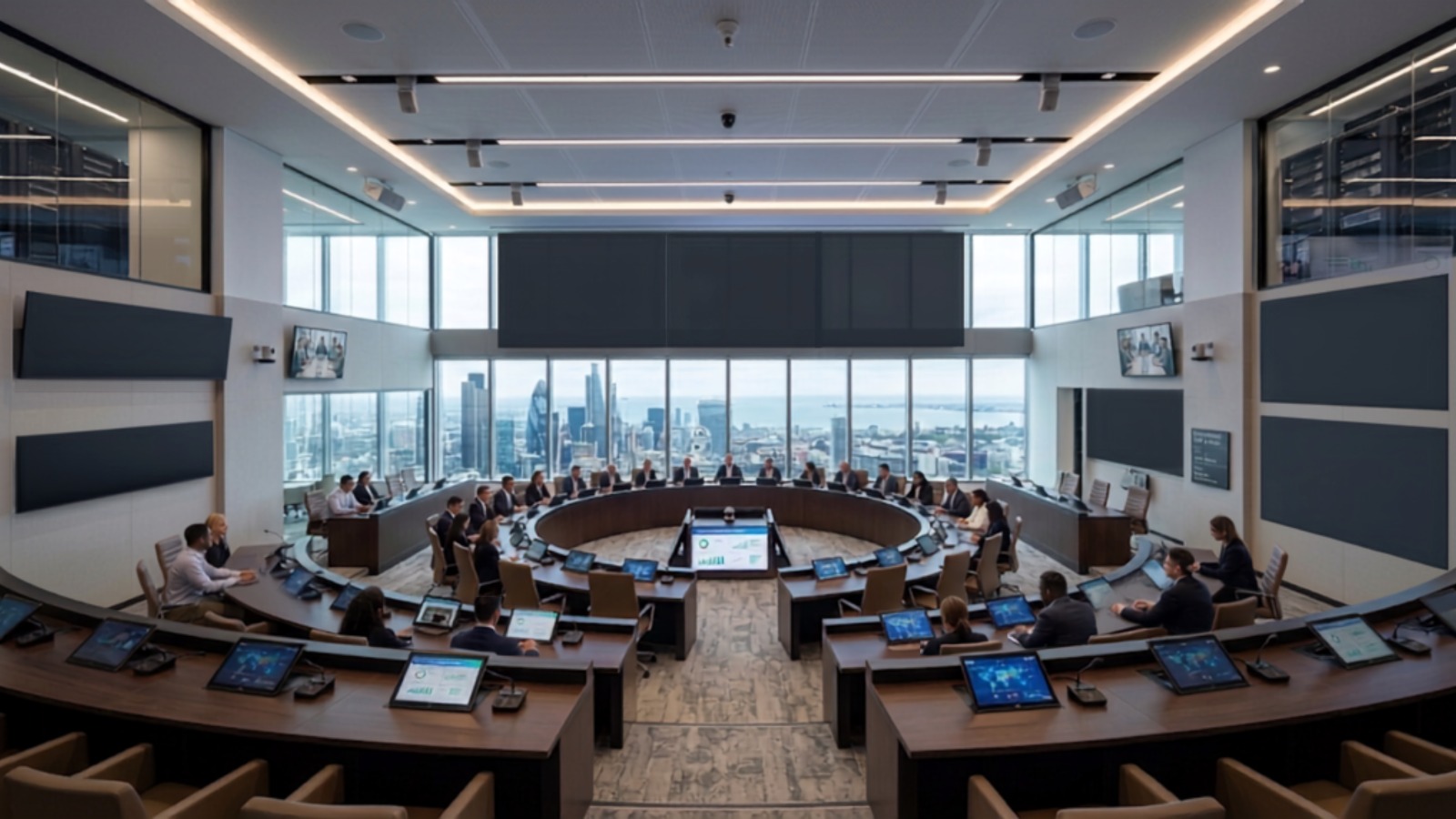
Picture that same 10:00 meeting, but in a room built properly. Your manager walks in, taps once to join the scheduled call, and the camera frames the room on its own. A guest shares their slides wirelessly from their own laptop. The remote client comes through clearly because the room has real audio, not a laptop speaker sitting in the middle of the table. Everyone can hear, everyone can see, and the meeting starts on time.
Behind the scenes, the camera tracks whoever’s speaking, background noise gets filtered out, and IT can see from their dashboard that everything is running fine. Nobody in the room thinks about any of it. That’s the whole point. The best AV meeting rooms and boardrooms are the ones where you forget the technology is even there.
The audio visual brands behind a room that performs
A room is only as good as the hardware inside it, and this is where the audio visual brands you choose make all the difference. The connectivity, switching, and signal hardware that ties a room together has to be reliable, because it’s the part that quietly runs every single meeting in the background.
WyreStorm is one of the names we trust for exactly this. Their USB-C and connectivity solutions are built for real meeting rooms and boardrooms, handling 4K video, power, and data over a single clean run. As a WyreStorm distributor in UAE, DTIS doesn’t just sell the hardware. We design it into your space, install it correctly, and make sure it talks to the rest of your room the way it should. That combination of the right brand and the right integration is what separates a room that performs from a box of parts that sort of works.
Why UAE businesses choose DTIS for meeting room solutions
We’re an Abu Dhabi based integrator, and AV is what we do. We design and install meeting room solutions for offices, boardrooms, and conference spaces across the UAE, and we handle the whole thing from first plan to final handover.
What this means for you is simple. You get one team that understands the full picture, from the cable behind the wall to the dashboard your IT team logs into. We work with proven audio visual brands, we size the room to how you actually meet, and we build for the way your business runs today and where it’s heading next. No guesswork, no mismatched parts, and no room that works in the demo but falls apart by week three.
If your meetings keep starting late, or you’re fitting out a new office and want to get the rooms right the first time, that’s exactly what we’re here for.
Frequently Asked Questions
Can one USB-C cable really power a laptop and run a 4K display at the same time?
Yes. A full featured USB-C cable carries video, data, and up to 100 watts of power together, which is enough to drive a 4K display and charge most laptops at once. The catch is that the cable and the ports on both ends have to support it, which is why the hardware choice matters.
What is the difference between wireless presentation and screen mirroring?
Screen mirroring usually copies your phone or laptop screen to a display over the same network, and it can be limited or laggy. A proper wireless presentation system is built for meeting rooms, supports multiple users, and connects to the room’s camera and audio for full calls, not just slide sharing.
Do we need Microsoft Teams Rooms Pro, or is Team Rooms Basic enough?
Team Rooms Basic can work for smaller deployments with simple requirements. Team Rooms Pro is usually better when you have multiple rooms and need advanced management, remote monitoring, updates, alerts, and analytics from one place.
Is wireless presentation secure enough for confidential board meetings?
Yes, when it’s set up correctly. Business grade systems use encryption and secure network access so only people in the room can connect. The security depends heavily on how it’s installed and configured, which is part of what a proper integrator handles for you.
What does DTIS actually do as a WyreStorm distributor in UAE?
We supply WyreStorm hardware and design it into your meeting rooms and boardrooms as a complete solution. That covers planning the room, installing the connectivity and AV, and making sure everything works together, rather than leaving you to piece it together on your own.
Let’s Build Meeting Rooms and Boardrooms That Just Work
Your team has better things to do than fight with cables before every call. The right AV solutions turn your meeting rooms and boardrooms into spaces that start on time and stay out of the way, so the conversation is the only thing anyone has to think about.
If you’re ready to fix the rooms that keep letting you down, talk to DTIS. Tell us how your team meets, and we’ll design the setup that fits.

